PROCESSOR

FORME01

Not pitch. Not EQ. Not saturation. Formants, reshaped.

AAX · VST3 · AU · macOS

One installer for everyone. Free for 30 days; a licence unlocks it permanently.

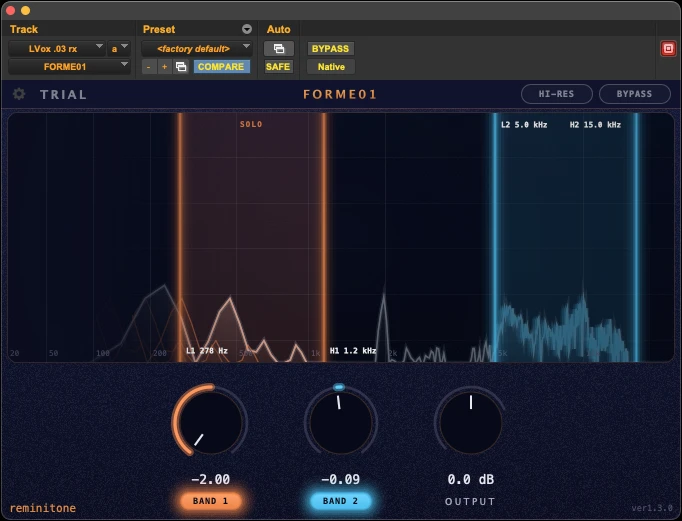
FORME01 plugin interface

EQ and saturation shape a recording after the fact. FORME01 reaches further back: moving a sound's formants is like changing the body that made it — a slightly deeper chest, a slightly longer throat, a slightly bigger guitar. Same performance, same mic, subtly different instrument.

And subtle is the point. A formant shift done right is barely audible on its own — but in precise mixing, that barely is exactly what counts. The vocal sits differently, the guitar takes up a different amount of space, and nobody hears a plugin working.
New in v1.3.0

New in v1.3.0
  • Solo listen — click a band's colored zone in the analyzer to audition that band on its own.
  • SHIFT range doubled — each band now moves formants by up to ±2.0 semitones. Larger settings can bring unnatural artifacts with them, so listen closely: if it sounds good, it is good.
  • Band 2 now reaches up to 15 kHz, putting sibilance and air within reach.

About the two range changes: DAW projects using an earlier version load with their parameter settings unchanged. Only written automation is affected — automation on these parameters will land on shifted values, so please review those lanes.
In use

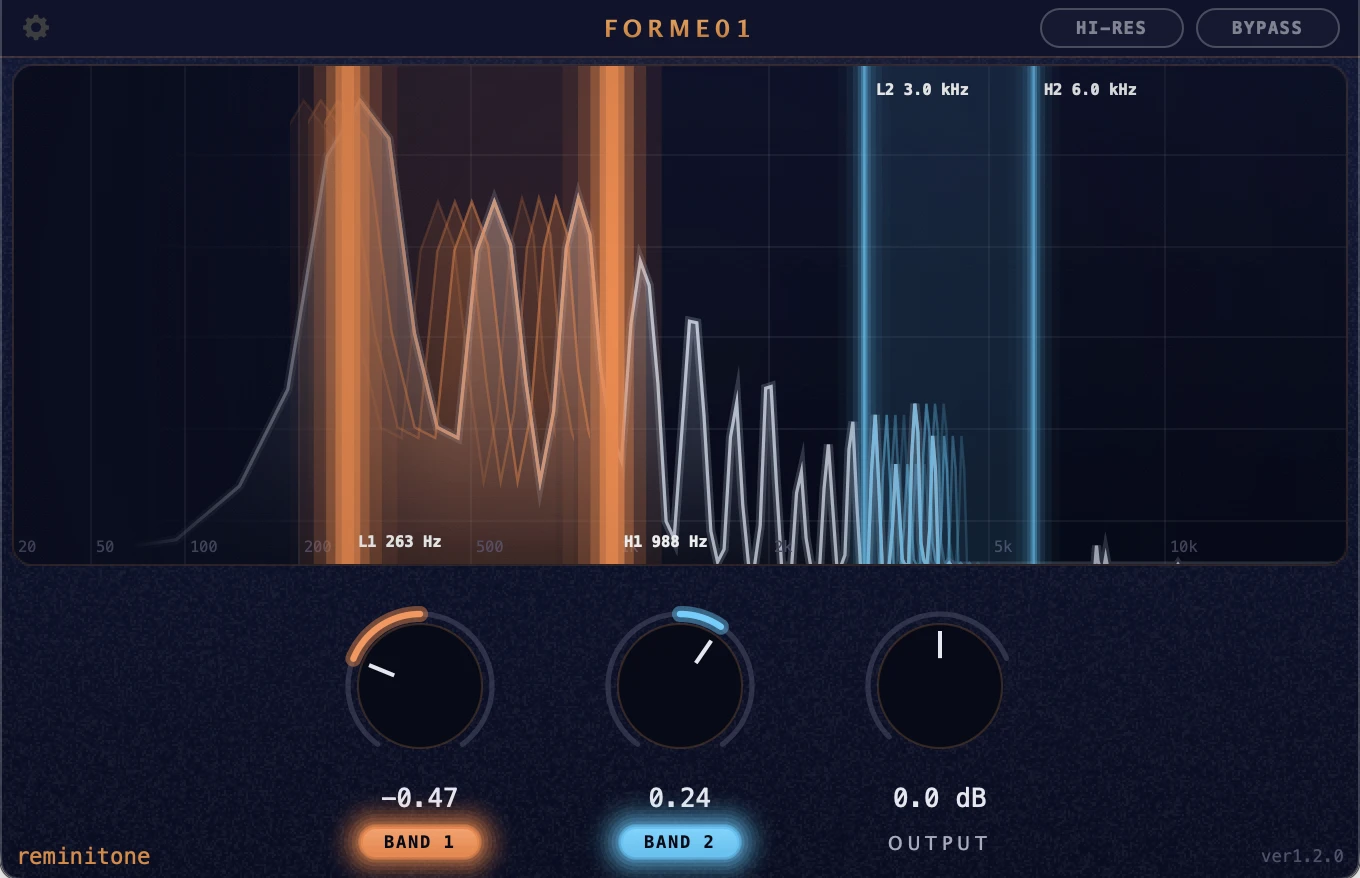
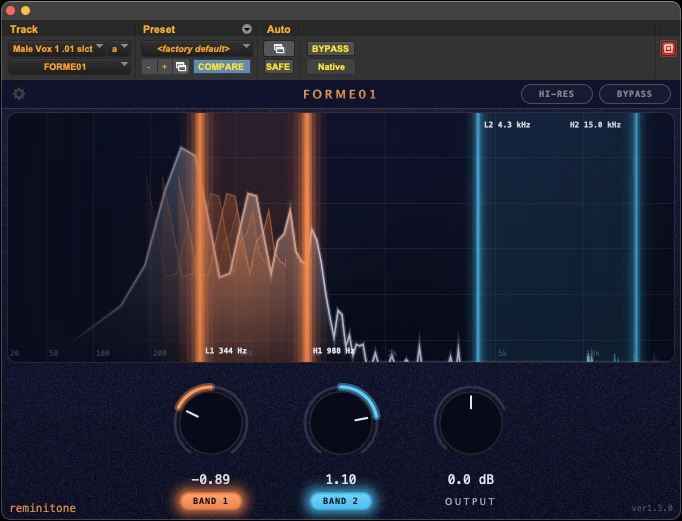
Band 1 sits around the male vocal's first formant and eases it down — deep throat, more chest. Band 2 lifts the presence range up top, keeping the voice clear.
Band 1 is nudged slightly up: the female vocal gets a little lighter on its feet, a touch crisper — and steps out of the band just that little bit more.
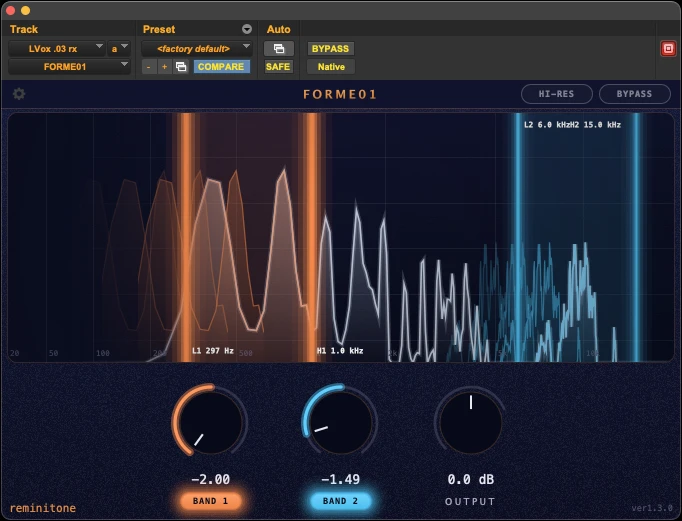
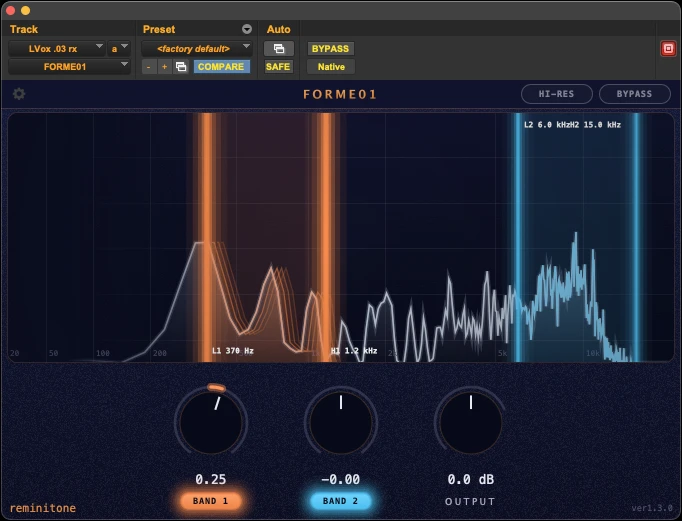
The same vocal, pushed the other way: Band 1 drops all the way down, conjuring a singer with a fuller frame, and Band 2 comes down with it, lending the voice a settled calm.
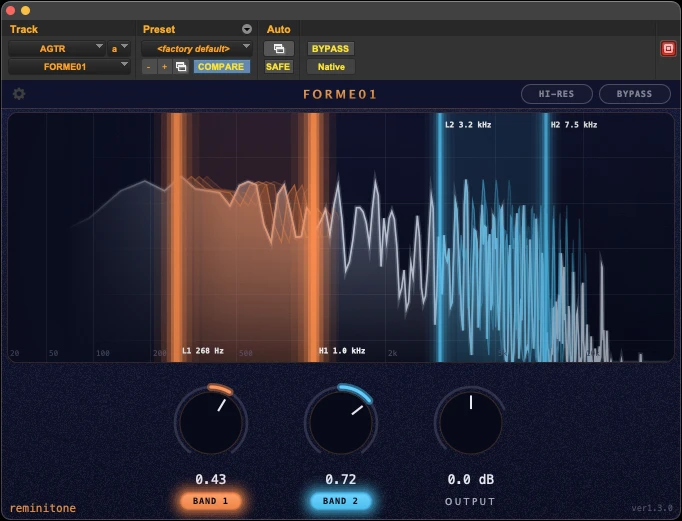
Both bands move up on a steel-string strum: Band 1 turns the body's low-end bloom into midrange thickness, and Band 2 hardens the pick attack — a brighter, glassier edge.
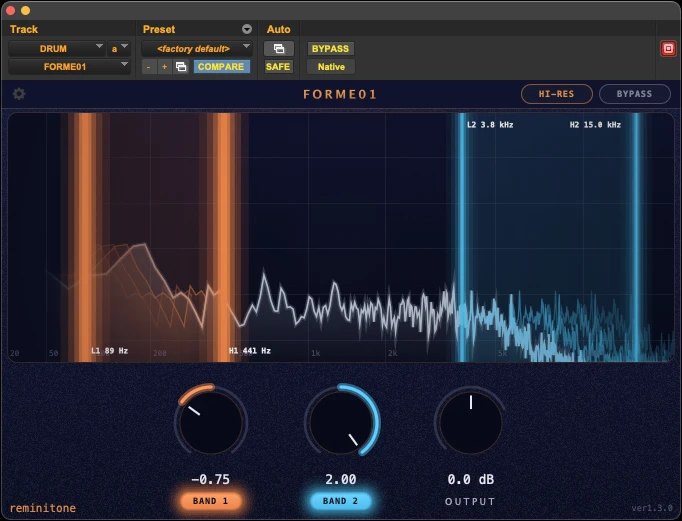
On a drum loop, Band 1 shifts the muddy region downward and stretches the low end, while Band 2 brightens the snare and hats — a natural kind of change you don't quite get from EQ. HI-RES adds some latency, but it's what lets the effect reach all the way down into the low end.

PROCESSING

Use it for

  • Vocal tone shaping
  • Bring vocals forward without harsh EQ
  • Add weight without saturation
  • Beats, bass, backing guitars — anything
  • Sitting more clearly in the mix

Features

  • Targeted, natural-sounding change
  • Two selectable bands
  • Only the range you choose is affected
  • Shift formants up or down
  • Hi-Res mode for low-end processing

In detail

BAND 1 / BAND 2

Set the frequency range each of the two bands covers, then shift the formants inside that range up or down. Each band switches on and off independently.

OUTPUT

Shifting formants changes the level of the sound. OUTPUT brings it back.

HI-RES

Reach for HI-RES when you need to reshape the low end of a bass instrument precisely. It doubles the analysis resolution, and the latency with it.

Story

Coming soon

Why FORME01 exists

Version history

v1.3.0
  • SHIFT range extended to ±2.0 semitones.
  • Band 2 upper limit raised to 15 kHz.
  • Added solo listen per band.
Older versions (1)
v1.2.0
  • Initial release.
Format
AAX / VST3 / AU
OS
macOS 12 (Monterey) or later

One installer for everyone. Free for 30 days; a licence unlocks it permanently.