SPATIAL

Sphere Flow

Move the sphere. The sound dances.

visionOS

Free on the App Store. The Creative Pack — a one-time $149 purchase — adds the Diorama and Theater Stages and the full Dynamics set.

REQUIRED COMPANION

The free AAX plug-ins for Pro Tools — one installer carrying SphereReceiver, SphereDownMix and SphereConstellation. Sphere Flow moves the sound; these render it. Neither works without the other.

Download

Updating from 1.1.x? SphereConstellation automation written with earlier versions plays back differently in v1.2.0 — Group X lanes come back mirrored, and Group Pitch / Roll at twice the angle. Re-write those lanes after updating; everything else is unaffected.

Sphere Flow pairs visionOS with Pro Tools to do what every immersive mixer has always wanted. It was designed by Yujiro Yonetsu — a working Dolby Atmos mixer — around the way real sessions actually run.

Draw your pans as freely, and as wildly, as you like. Connected to the SphereReceiver AAX plug-ins, everything you perform converts into automation for the Pro Tools native panner.

New — Constellation (v1.1)

5.1 and 7.1.4 tracks can now move as they are — travel, scale and rotate as one. SphereConstellation connects to Sphere Flow: pinch with both hands and move the whole constellation freely. Connecting from the app unlocks with the Creative Pack. (SphereConstellation also works on its own as a plug-in — genuinely handy: a whole bed, moved simply and freely.)

Use it for

  • Panning in Pro Tools
  • Moving mono and stereo tracks freely
  • Post, music, immersive mixing

Features

  • Converts pans into Pro Tools native panner automation (ADM export)
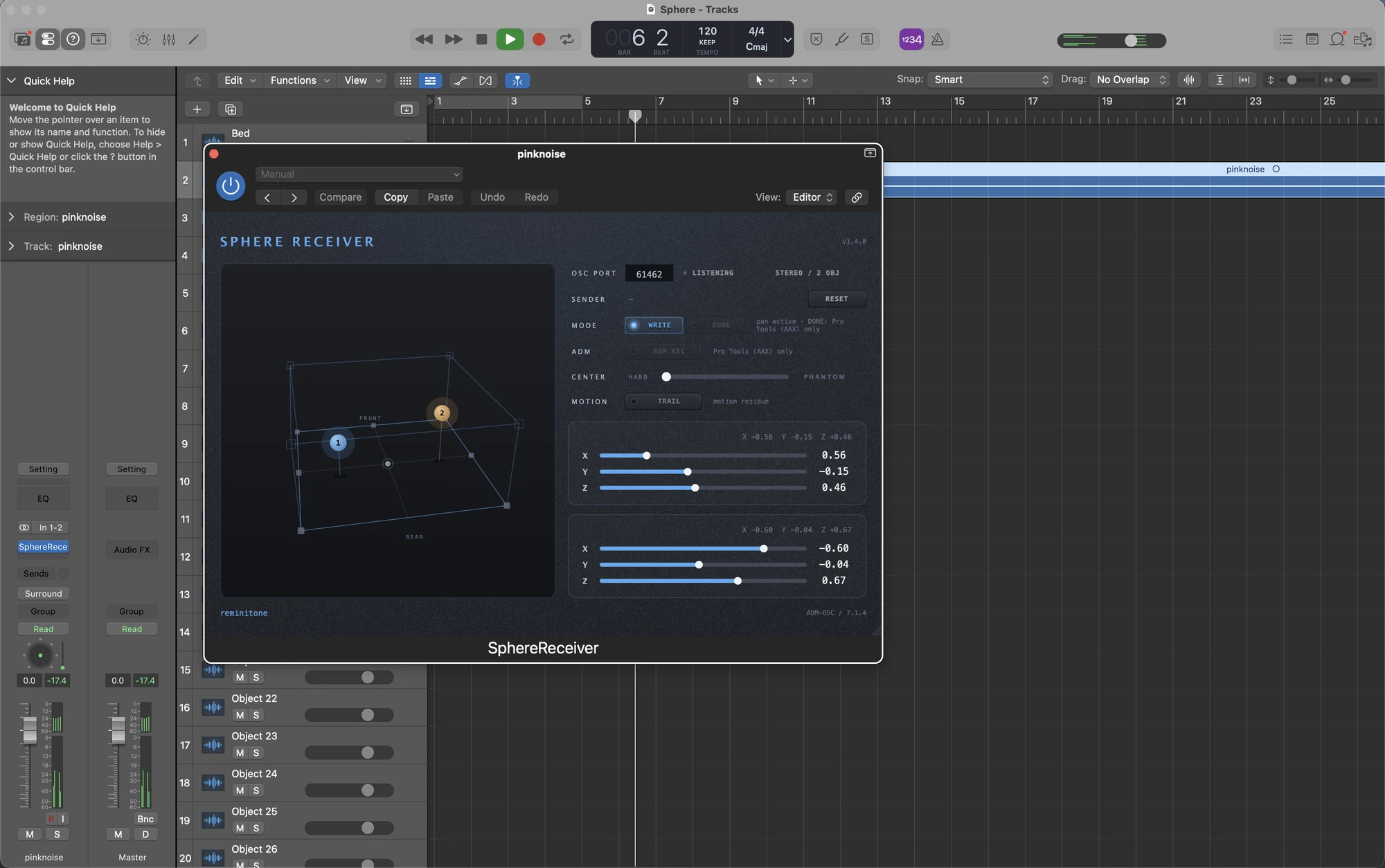
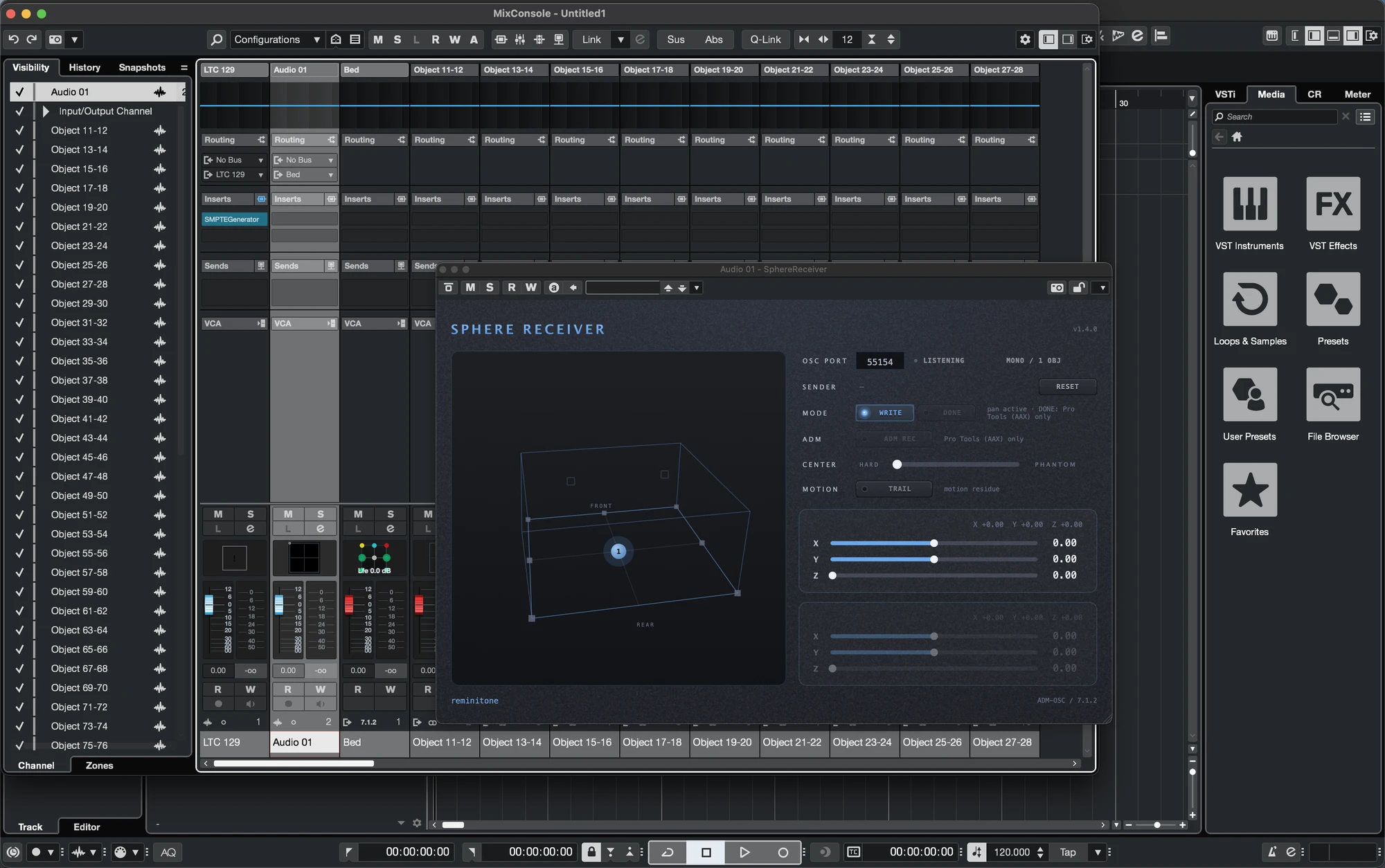
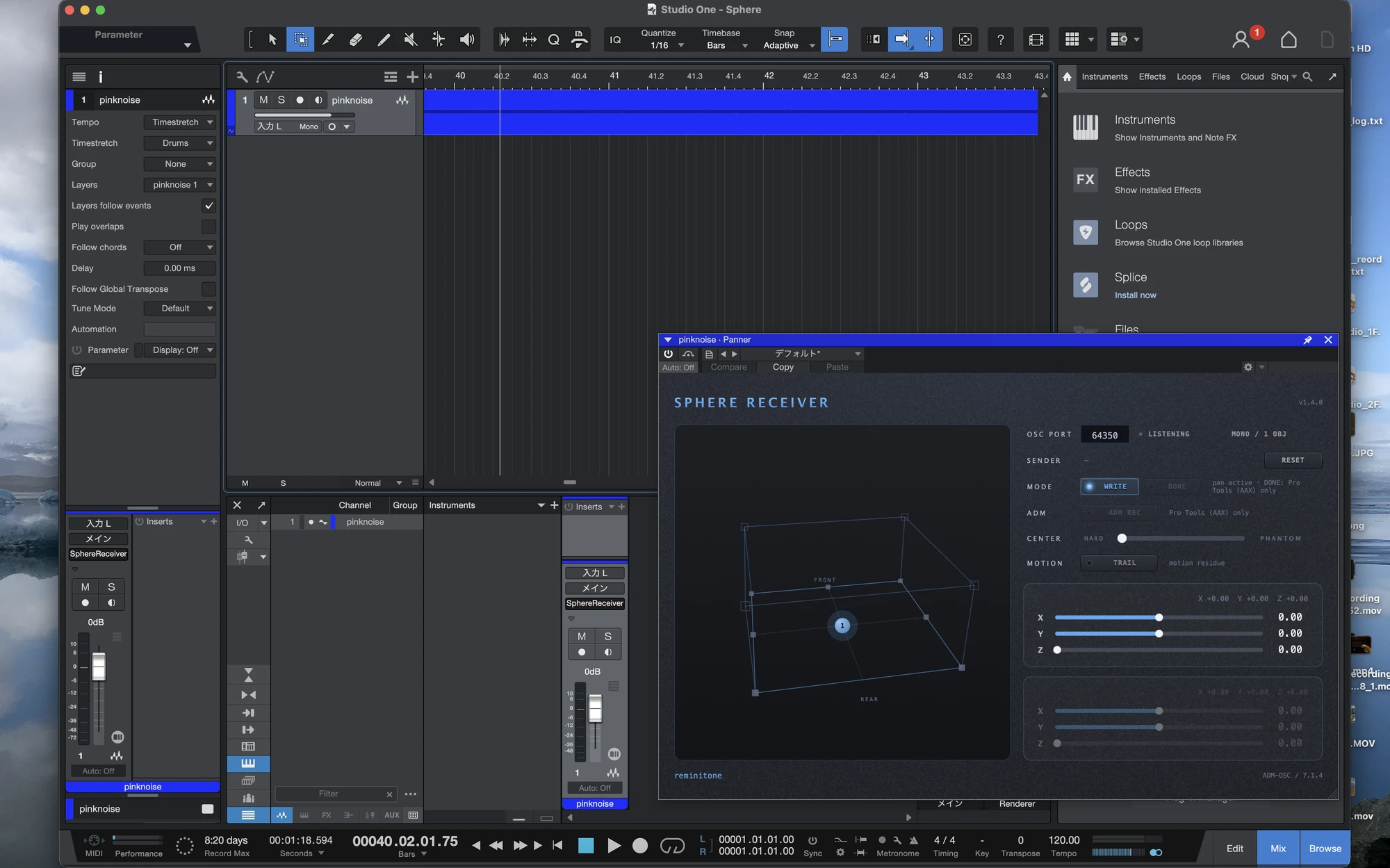
  • Connects to SphereReceiver AAX over the network
  • Stays reversible with SphereDownMix
  • Three Stages (two in the Creative Pack)
  • Plenty of physics options (Creative Pack)
  • Constellation mode (Creative Pack)

In detail

Overview

Step by step

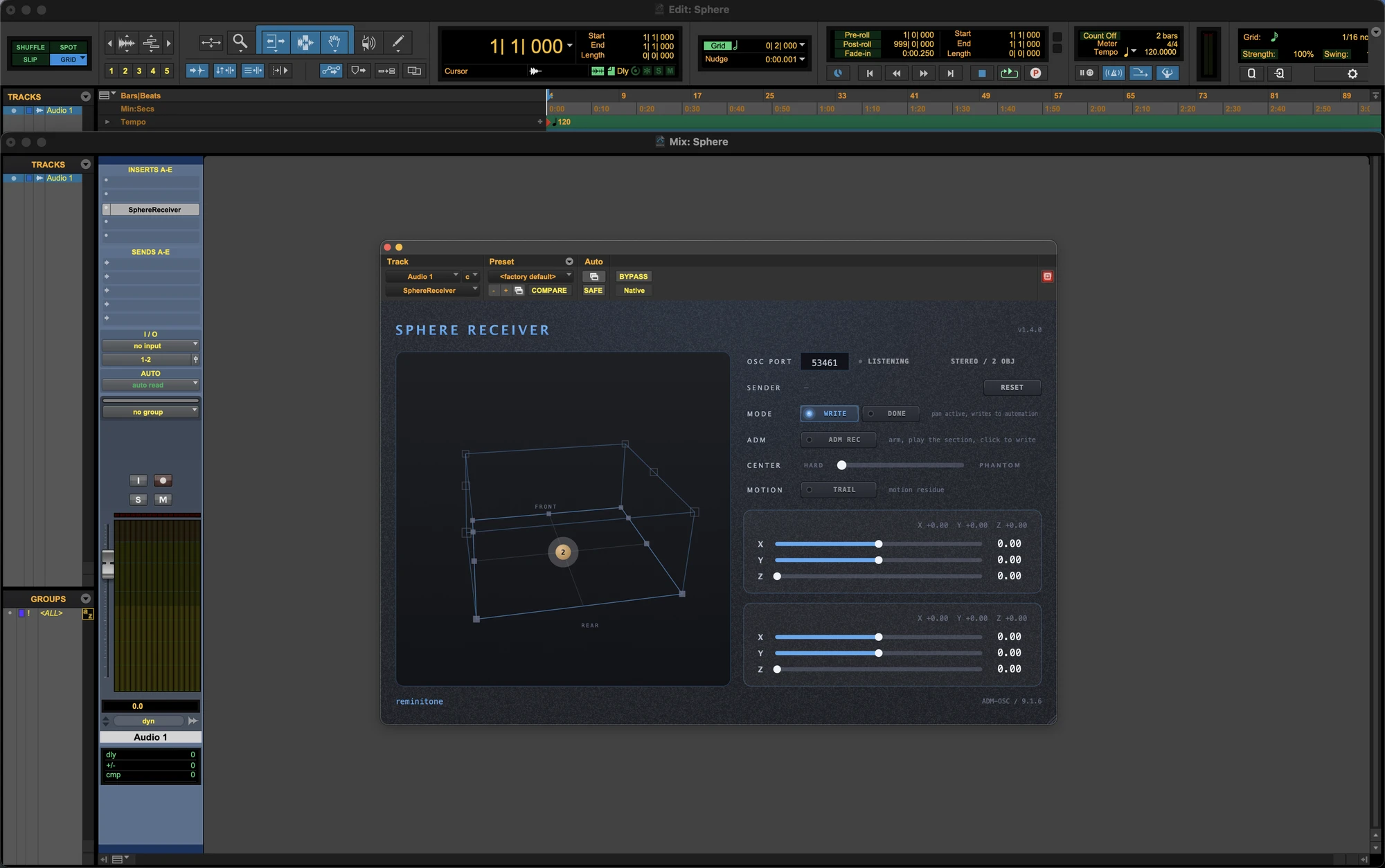
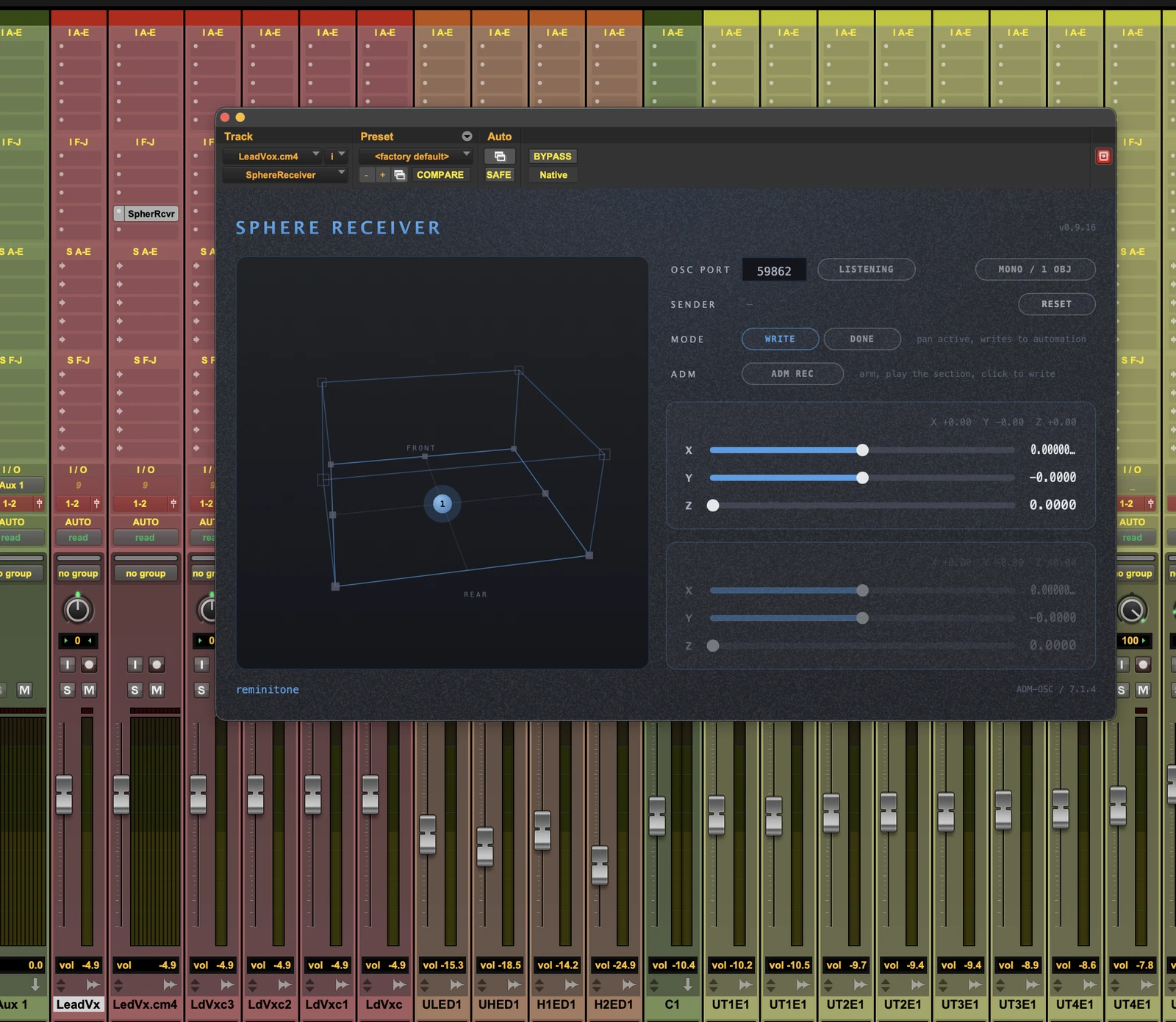
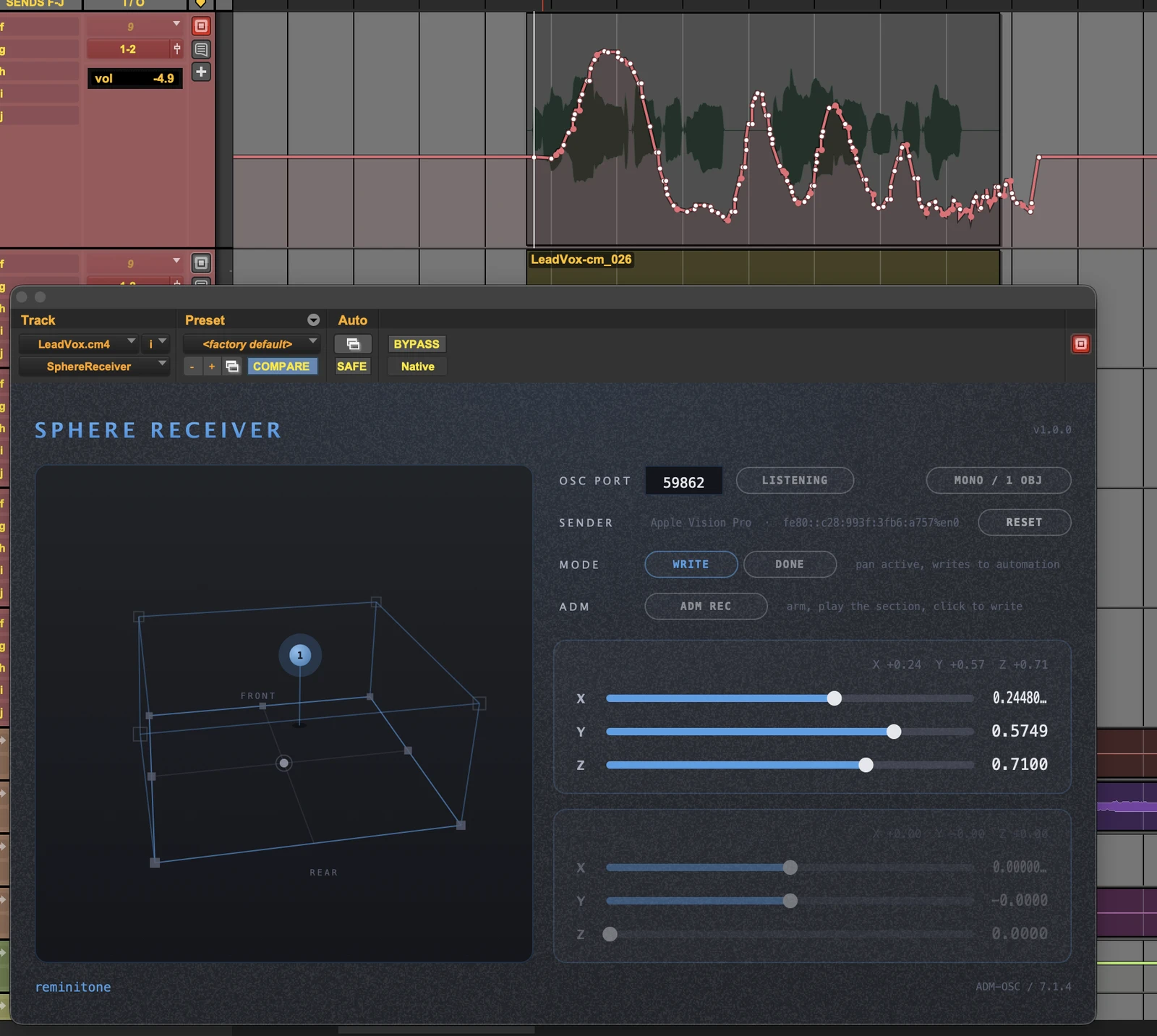
Insert SphereReceiver on the track you want to perform — insert slot I is the recommended spot.
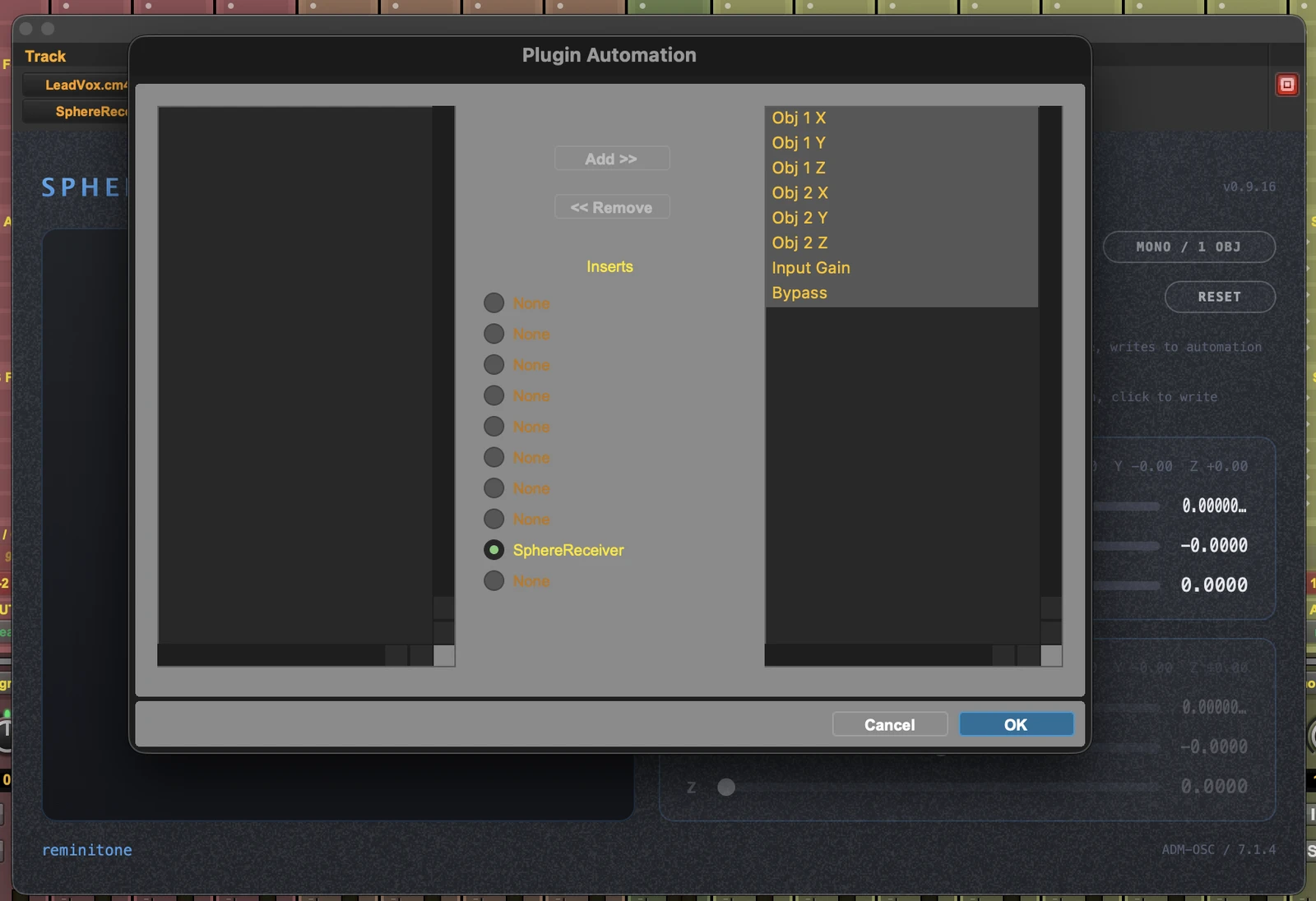
In Plug-in Automation, enable every parameter for writing.
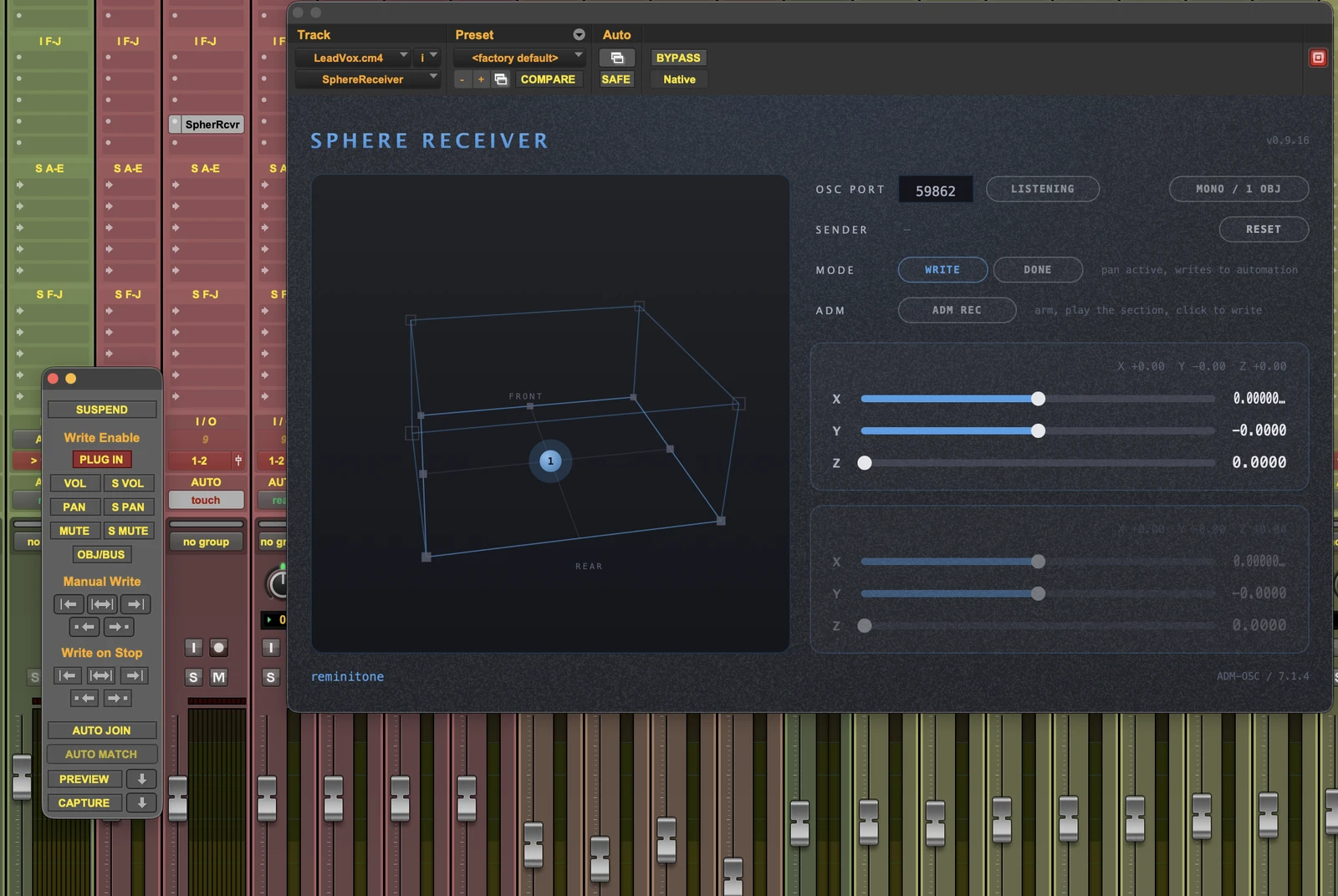
Set the track ready to write automation — Touch mode here, with PLUG IN write-enabled.
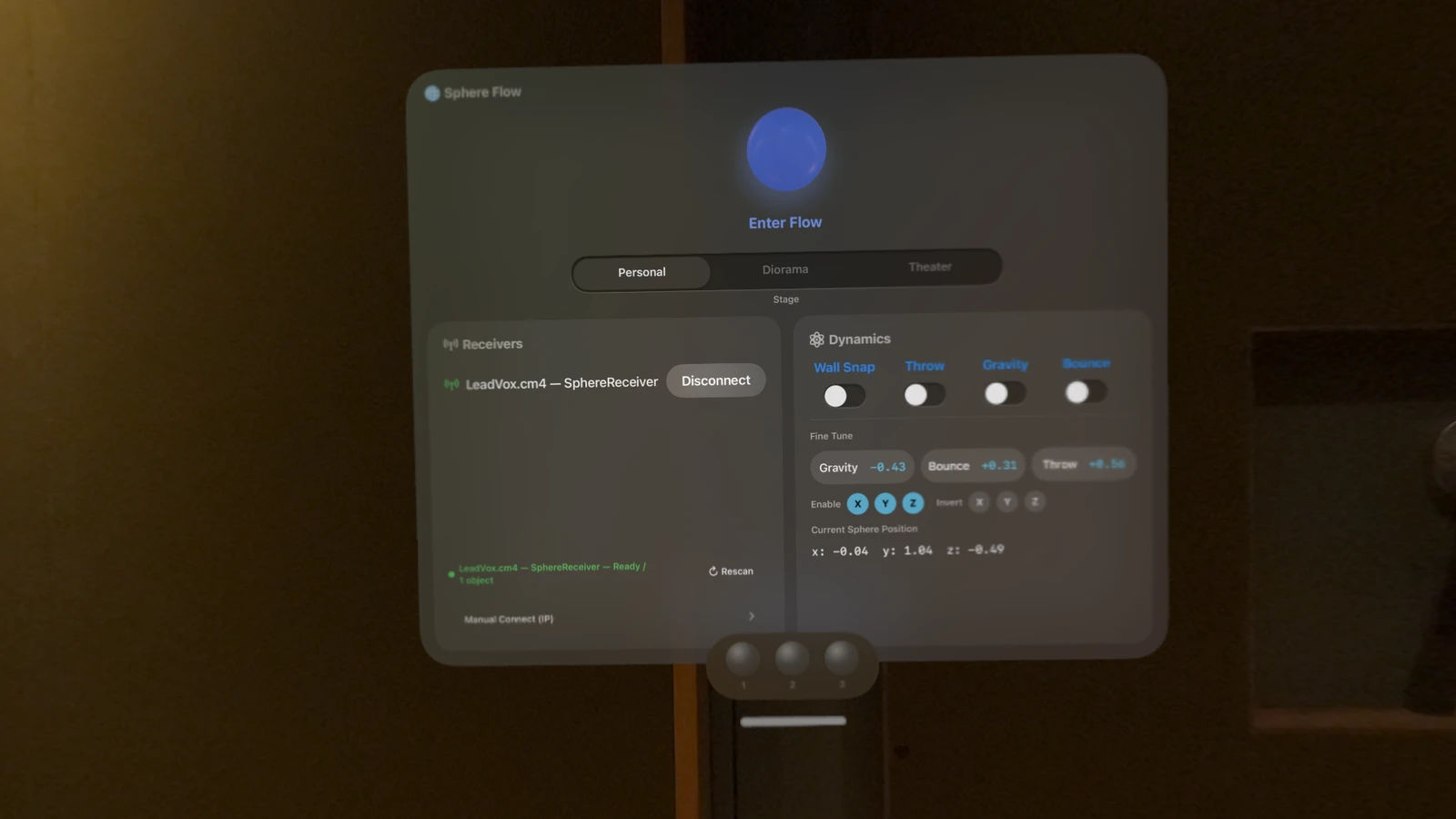
Put on Vision Pro and launch Sphere Flow. Check it has found the instance you inserted — Sphere Flow lists every instance on the same Wi-Fi network.
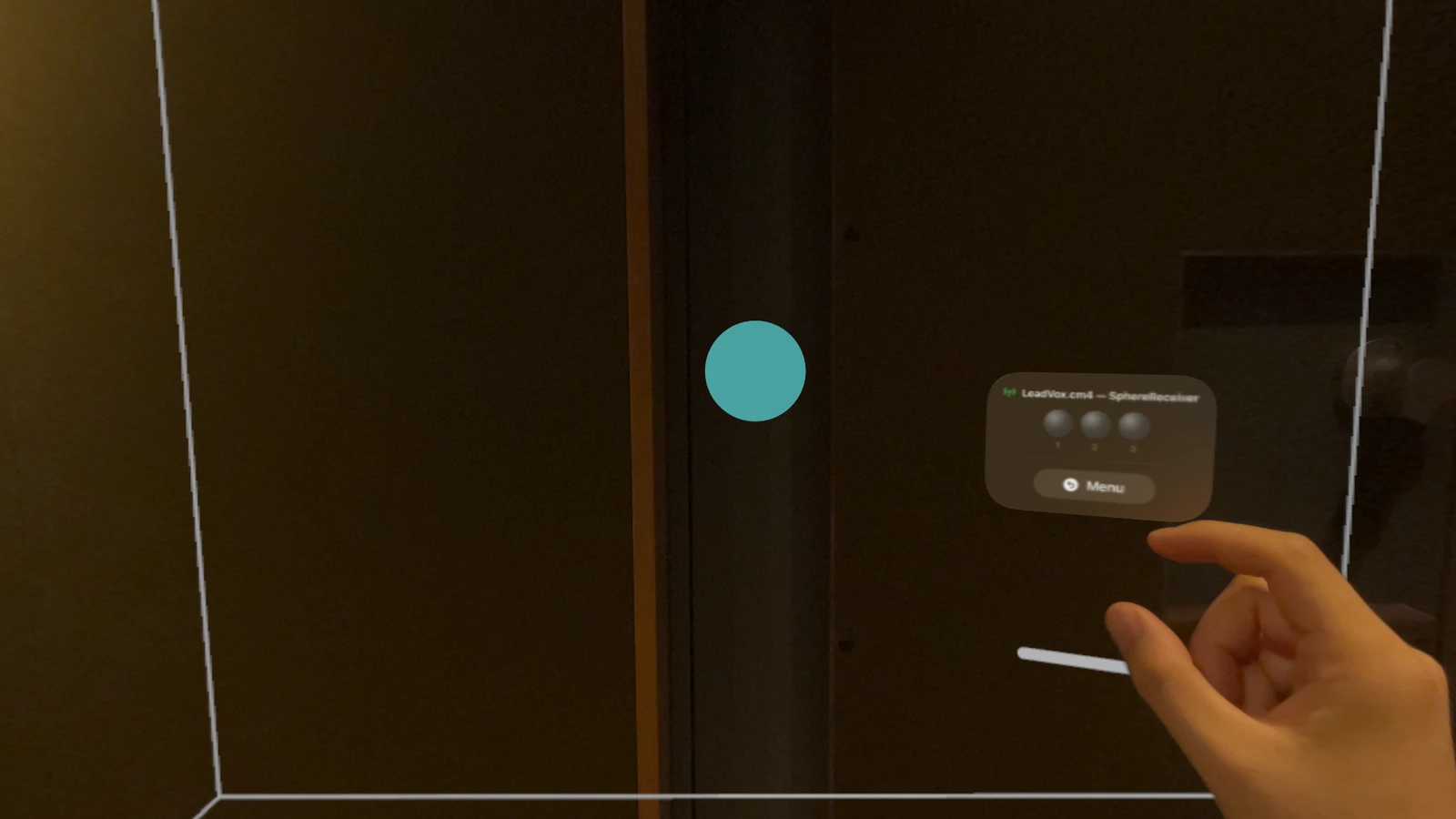
A cyan sphere appears in front of you. That is the sound itself.
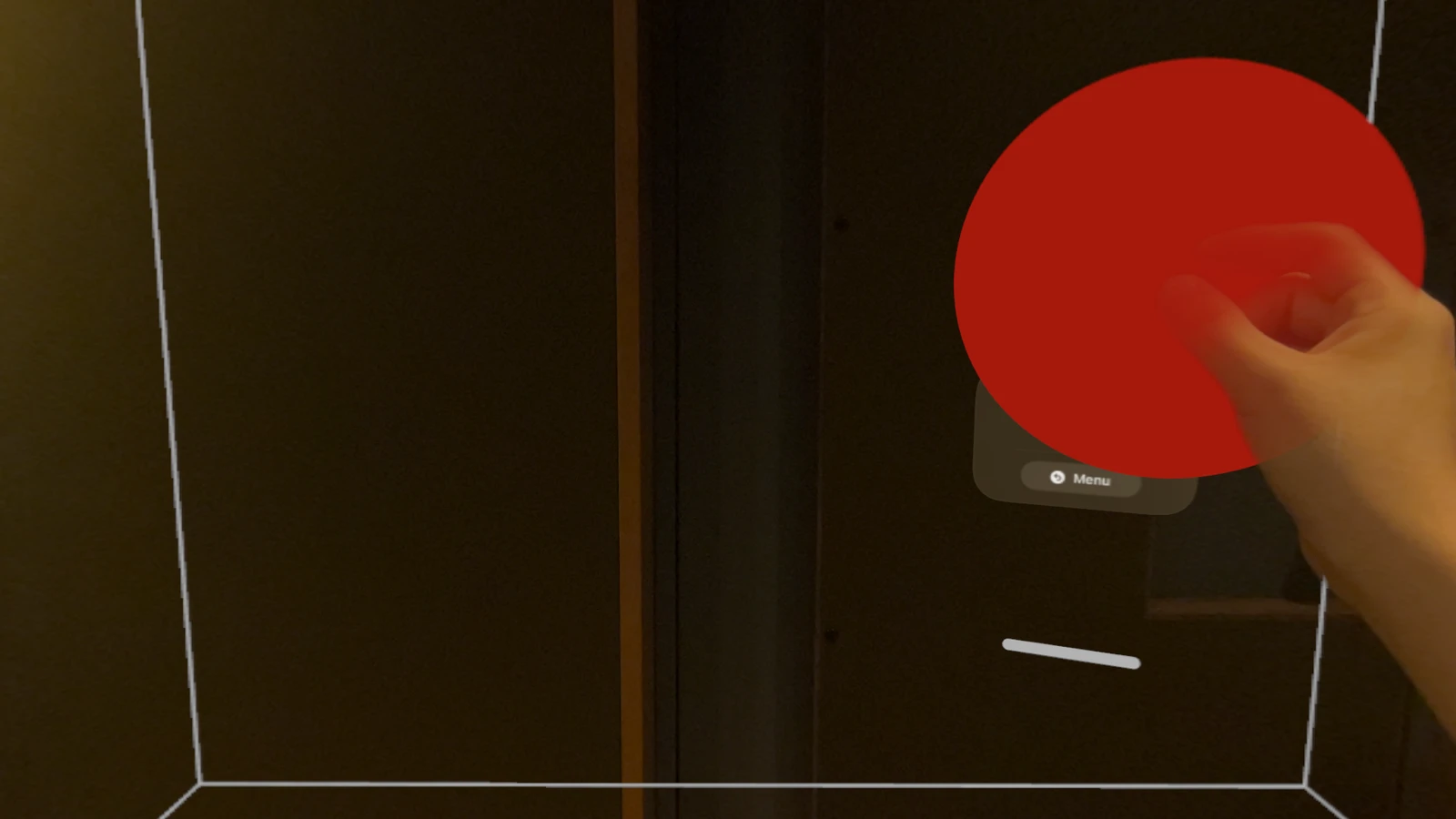
Tap it and it clings to your hand. (While it clings, keep your hand open — it avoids a stray tap, and you'll feel all the more like a wizard.) From there, perform freely — X, Y and Z inside SphereReceiver follow, and the sound draws exactly the performance you intend.
The automation is drawn. Until now, this was as far as it went — and as sound, it is already enough. But the joy of a mixer lies elsewhere: in the Pro Tools panner moving, in the ball in the Dolby Atmos Renderer moving. Every mixer knows the feeling.
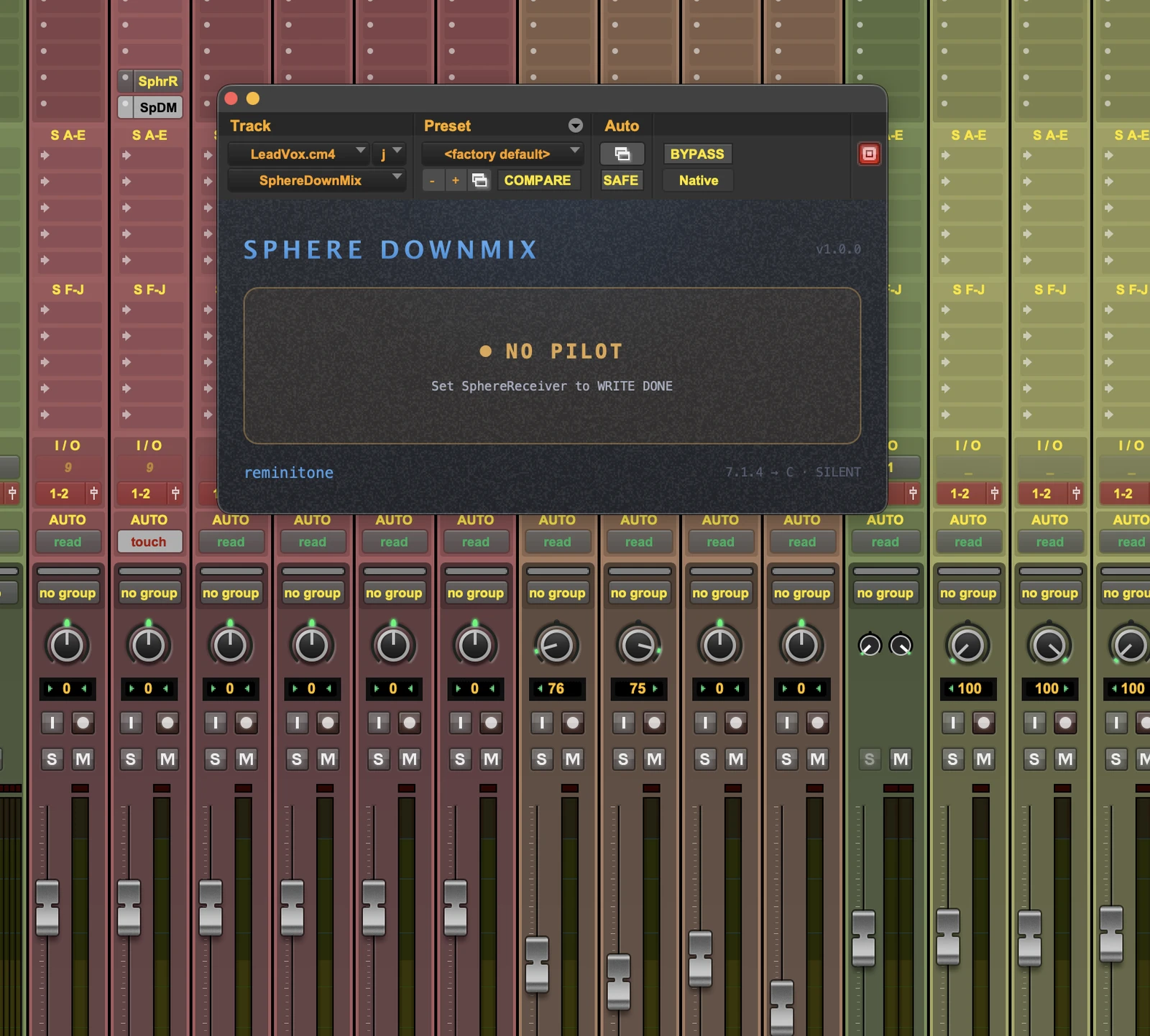
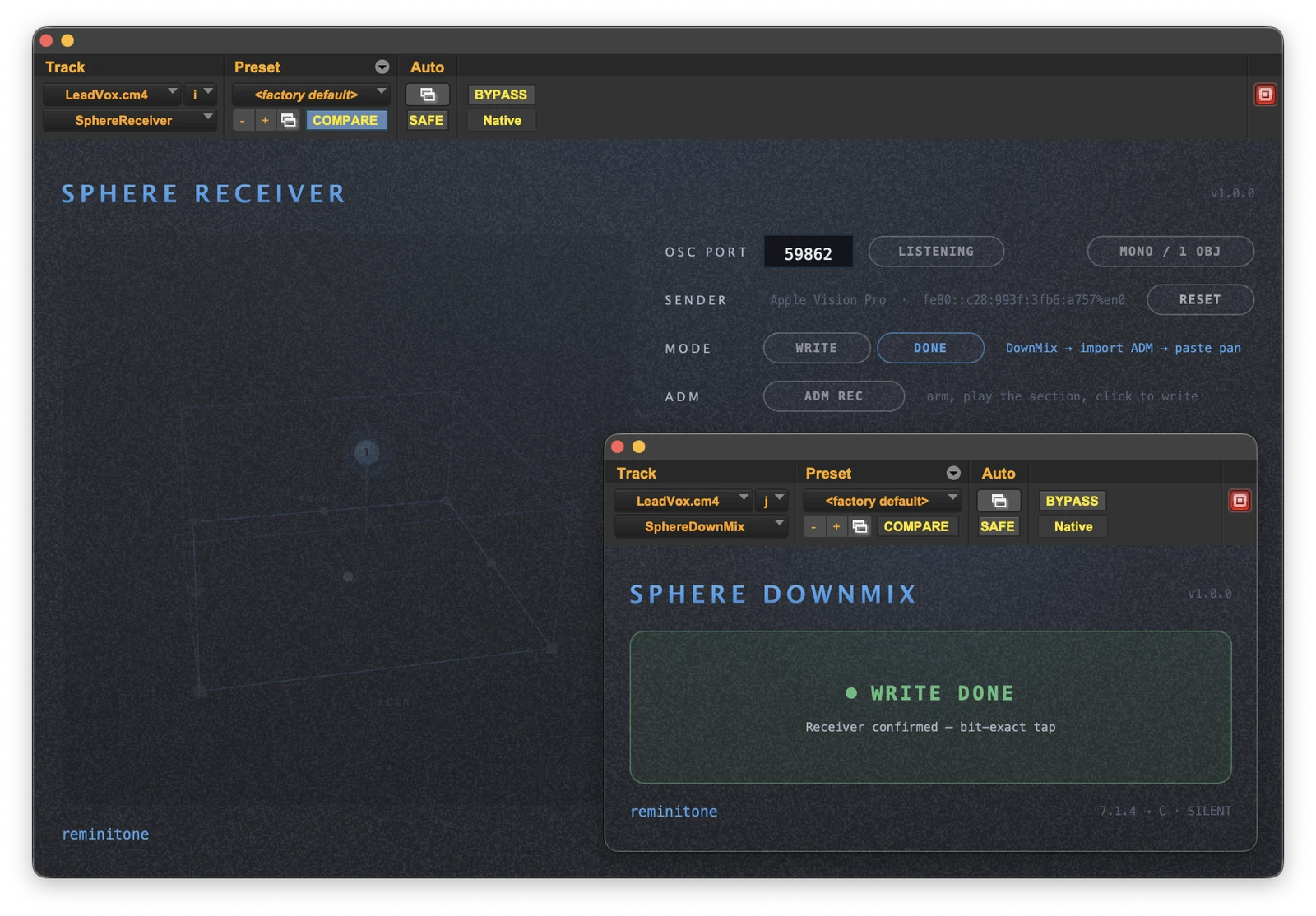
So here is the flow we built to make that dream real. Insert SphereDownMix in slot J — the same width the track originally was. At this stage, a NO PILOT alert is showing.
Switch SphereReceiver's MODE to DONE, and SphereDownMix reads WRITE DONE. From here the track outputs audio exactly identical to before the Sphere plug-ins went in. The automation on SphereReceiver stays, but nothing needs to come off the inserts — the track is effectively its original mono self again.
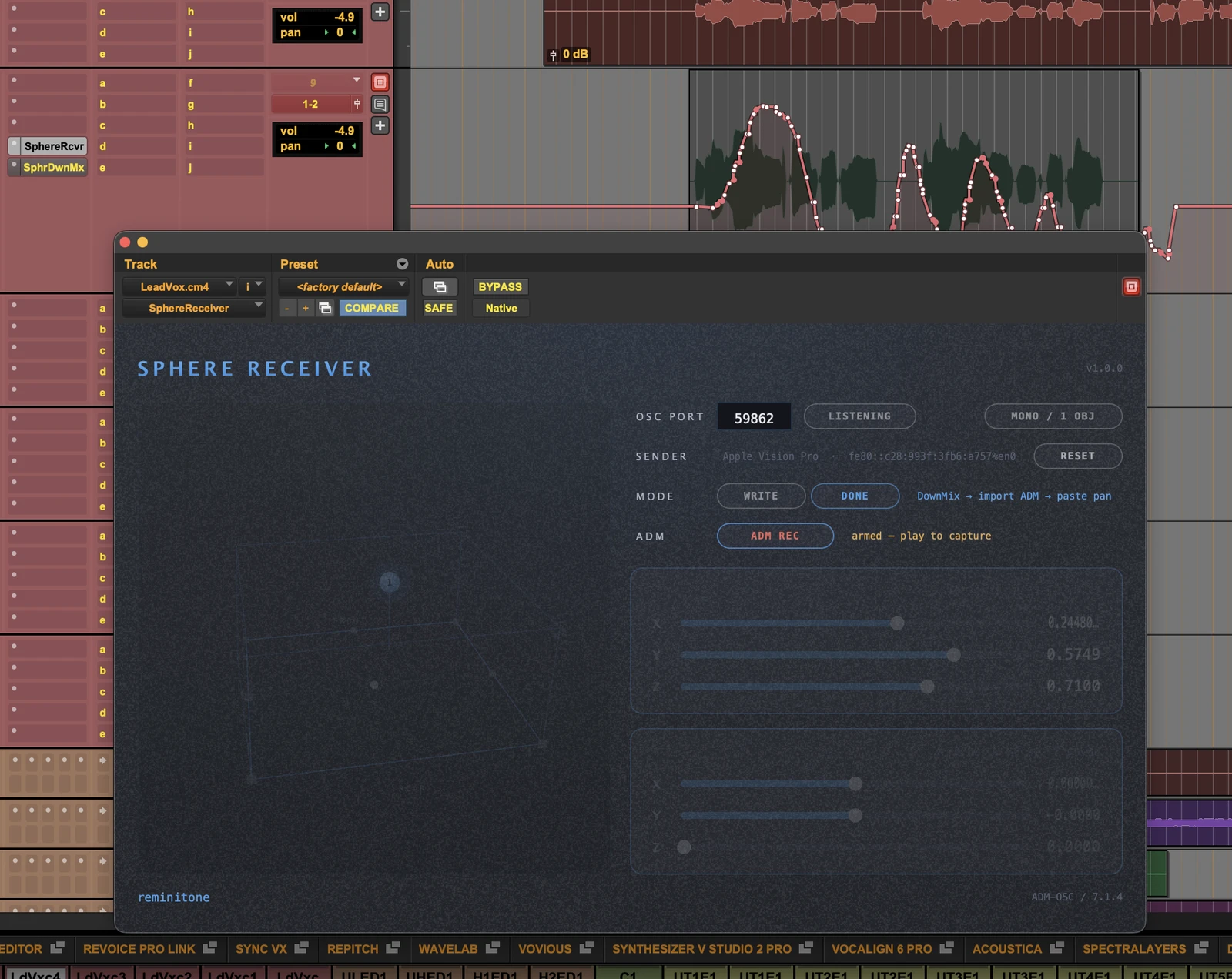
Now press ADM REC on SphereReceiver — it builds an ADM file with the automation written in. Two cautions: pre and post roll off, and locate to a clean, definite position. Play through the range you want to export, then switch ADM REC off — the file lands in the Sphere ADM folder inside your session folder.
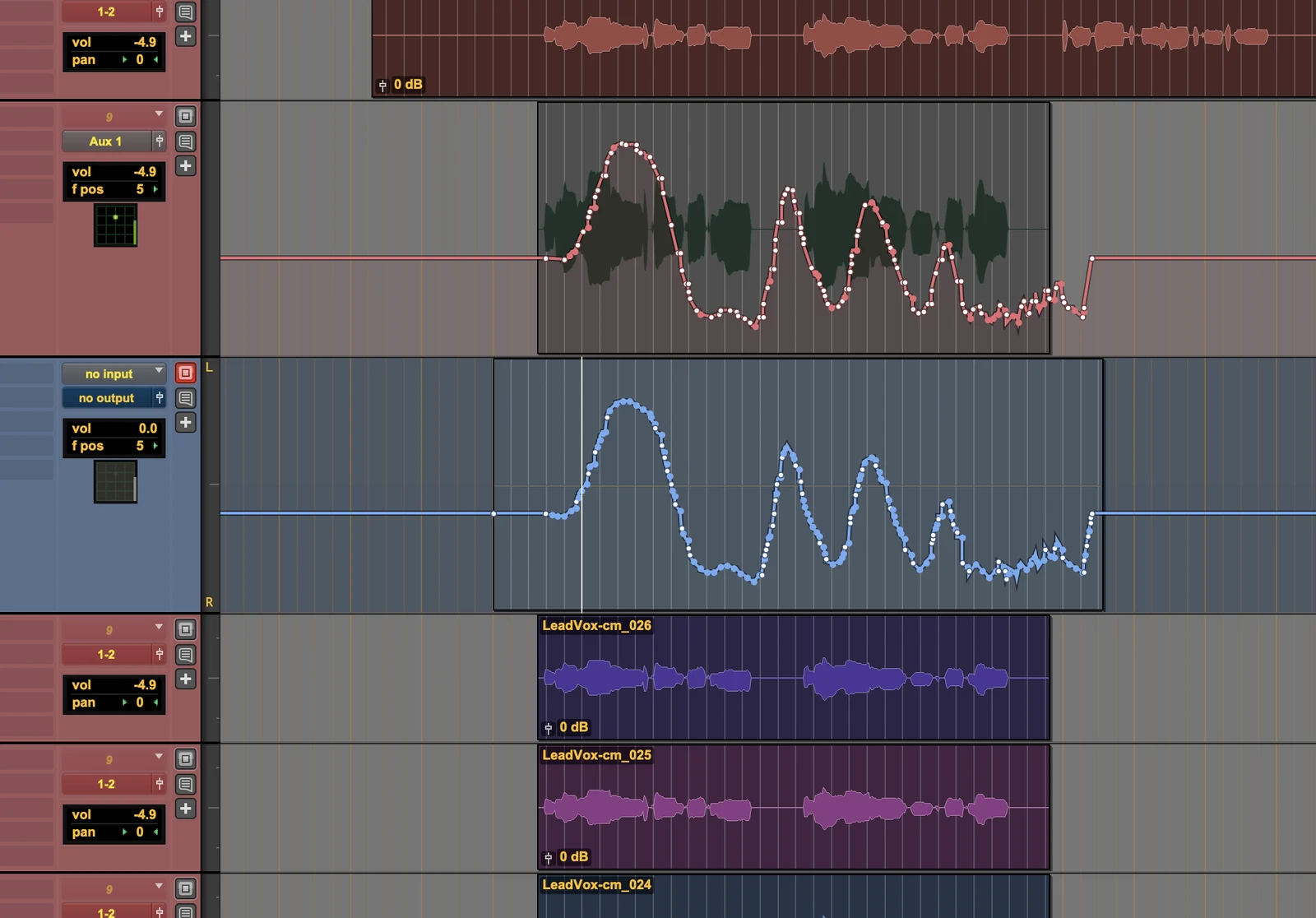
Import that ADM, and the rest is easy. A silent clip lands spotted to time, carrying the native pan automation — copy it over to your original track.

Version history

v1.2.0
  • CENTER control (HARD – PHANTOM) on SphereReceiver and SphereConstellation: re-image the centre channel from the physical C speaker to an L/R phantom centre, constant-power, automatable.
  • SphereConstellation: Group Pitch and Roll now allow a full ±180° rotation with wrap-around.
  • Clearer Constellation 3D view — front axis and zenith marker stay readable at any rotation.
  • Compatibility: Constellation automation written with earlier versions plays back mirrored (Group X) or at twice the angle (Pitch / Roll) — re-write those lanes after updating.
Older versions (4)
v1.1.2
  • New plug-in: SphereConstellation — moves a whole 5.1 / 7.1.4 bed as one body (position, yaw, pitch, roll, scale), driven by Sphere Flow or its own sliders. Seven automatable parameters.
  • Automation reliability improvements and a refreshed, higher-contrast look across all three plug-ins.
v1.0.3
  • Automation writing moved to a dedicated high-priority thread — lanes stay smooth even in heavy sessions.
v1.0.2
  • Stall gate: when the position stream pauses, lanes bridge with a natural slope instead of a stair step.
v1.0.1
  • Initial release.
Platform
Apple Vision Pro
OS
visionOS 26 or later
Requires
Pro Tools with SphereReceiver, same network

Free on the App Store. The Creative Pack — a one-time $149 purchase — adds the Diorama and Theater Stages and the full Dynamics set.

REQUIRED COMPANION

The free AAX plug-ins for Pro Tools — one installer carrying SphereReceiver, SphereDownMix and SphereConstellation. Sphere Flow moves the sound; these render it. Neither works without the other.

Download

Updating from 1.1.x? SphereConstellation automation written with earlier versions plays back differently in v1.2.0 — Group X lanes come back mirrored, and Group Pitch / Roll at twice the angle. Re-write those lanes after updating; everything else is unaffected.

Dolby and Dolby Atmos are trademarks of Dolby Laboratories. Pro Tools is a trademark of Avid Technology, Inc. Apple Vision Pro and visionOS are trademarks of Apple Inc. Sphere Flow is an independent product and is not affiliated with, authorised or endorsed by these companies.